Connect your accounts
Authorise each channel through the platform itself. Takes a couple of minutes, and you can disconnect any of them at any time.
Social scheduling
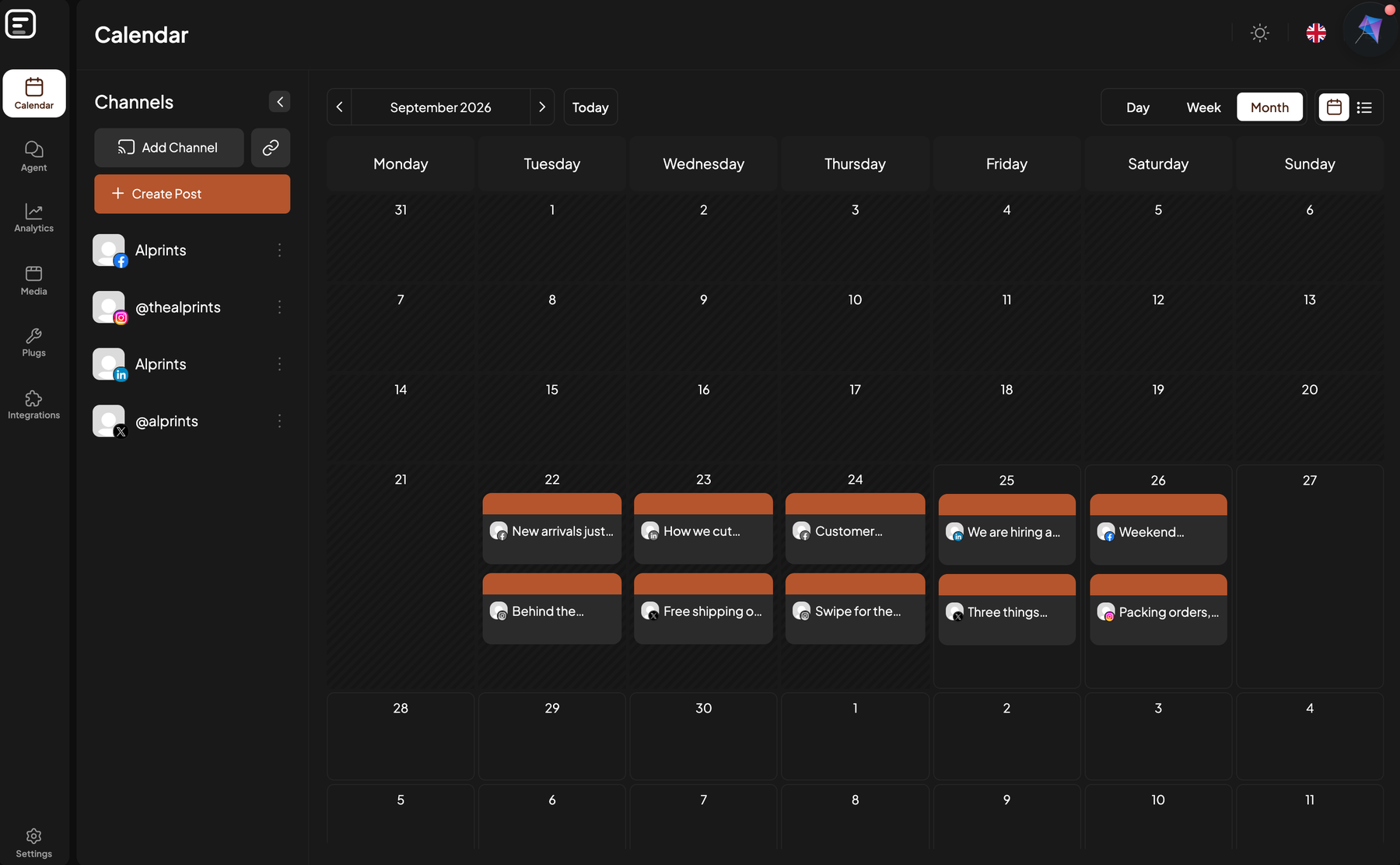
Plan the month, schedule once, and let it publish. Alprints keeps every channel moving so posting stops being something you have to remember.
 Facebook
  Instagram
  X
X  LinkedIn
  TikTok
  YouTube
  Pinterest
  Threads
  Mastodon
  Bluesky
 Publishing
One post, queued to every channel you have connected, at the times you picked. You do not open five apps.
How it works
Setting up takes an afternoon. After that the only thing you do is decide what to say.
Authorise each channel through the platform itself. Takes a couple of minutes, and you can disconnect any of them at any time.
Draft posts, set the times, and see the whole schedule laid out. Get sign-off from whoever needs to give it.
Everything publishes on schedule. If a platform rejects something we tell you, rather than failing quietly.
What you get
Whether that is your own business across five channels, or a dozen clients who each want sign-off before anything goes out.
See everything going out this week in a single view, rather than reconstructing it from six different apps.
Compose a post, pick the channels, and tailor each version where it matters. No copy-paste between tabs.
Send a client a preview link. They comment, you adjust, and nothing publishes until it is signed off.
Reach and engagement per post and per channel, so you can tell what actually worked rather than guessing.
Invite colleagues, split work across clients, and keep everyone looking at the same schedule.
You authorise us through each platform directly. Revoke it whenever you like — we never ask for your password.
Questions
No. We hold the platform approvals, so connecting a channel is a normal authorisation screen — the same one you would see signing in to any app.
We tell you, in the app and by email, with the reason the platform gave. Expired tokens and rejected media are the usual culprits, and both are fixable in a minute.
Yes. Ask us and we will export it. You can also delete everything yourself — the steps are on our data deletion page.
Never. We only publish what you have scheduled, to the accounts you have connected. We do not read your personal profile or your messages.
Stop whenever you like. The service is free at the moment, so there is nothing to cancel — disconnect any channel from the calendar, or delete your account outright from Settings. The steps are on our data deletion page.
Connect a channel and put next week's posts in the calendar. If it does not save you time, walk away.